



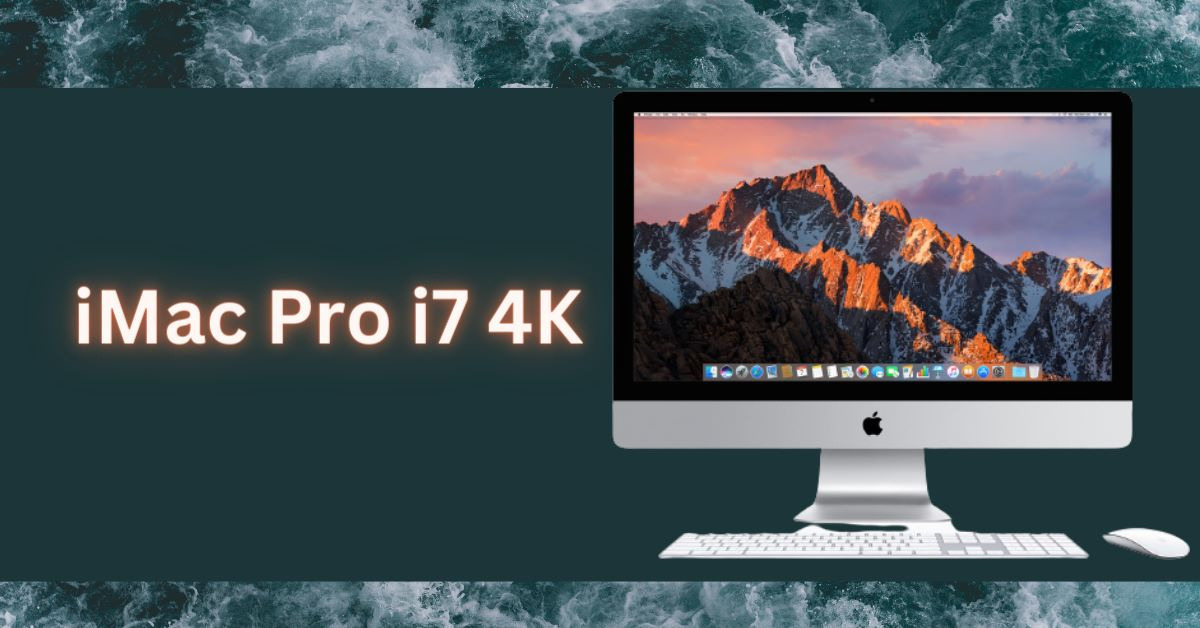
If you have been searching for the “iMac Pro i7 4K,” you deserve a straight answer before you read another spec sheet: Apple never built one. There has never been an iMac Pro with an Intel Core i7 processor, and there has never been an iMac Pro with a 4K display. The name is a mash-up of three separate Apple products that got blended together across years of recycled blog posts, and almost every “review” of it describes hardware that does not exist.
That matters if you are about to spend money. People buy these machines second-hand for $700 to $2,000, and the difference between the two computers hiding behind this search term is the difference between a workstation that still runs current software and one that stopped receiving macOS updates in 2022.
This page untangles it. Every specification below is taken from Apple’s own technical documentation or Apple’s published macOS compatibility lists, both linked at each claim.
The short answer: three machines, one made-up name
The phrase “iMac Pro i7 4K” collides three real Apple products:
| What people search | What actually exists | Processor | Display |
|---|---|---|---|
| “iMac Pro” | iMac Pro (2017) | Intel Xeon W, 8 to 18 cores | 27-inch Retina 5K (5120 × 2880) |
| “i7 4.2GHz” | iMac (Retina 5K, 27-inch, 2017) | Intel Core i7-7700K, 4.2GHz | 27-inch Retina 5K (5120 × 2880) |
| “4K” | iMac (Retina 4K, 21.5-inch, 2017) | Intel Core i5 / i7 | 21.5-inch Retina 4K (4096 × 2304) |
Note what the table makes obvious: the 4.2GHz Core i7 and the 4K screen never appeared in the same machine, and neither ever appeared in an iMac Pro. If a page tells you the iMac Pro i7 4K has a “15.4-inch Full HD display,” a “Blu-ray drive,” or a “FireWire port,” it is describing a generic Windows laptop from about 2011.
All three are also desktop all-in-ones, not laptops. The iMac Pro weighs roughly 21 pounds and has no battery.

iMac Pro (2017): the real specifications
The iMac Pro was Apple’s only Xeon-powered all-in-one. It went on sale 14 December 2017 at $4,999 for the base configuration and was discontinued on 19 March 2021. It shipped in Space Gray only, with matching Space Gray accessories sold nowhere else.
Processor options
Every iMac Pro used an Intel Xeon W workstation chip. Four configurations were sold:
- 8-core, 3.2GHz
- 10-core, 3.0GHz
- 14-core, 2.5GHz
- 18-core, 2.3GHz
All four supported Turbo Boost up to 4.5GHz and up to 42MB of cache. There was no Core i5, no Core i7, and no Core i9 option at any point in the product’s life.
Graphics, memory and storage
| Component | Standard | Configurable to |
|---|---|---|
| Graphics | Radeon Pro Vega 56, 8GB HBM2 | Vega 64 or Vega 64X, 16GB HBM2 |
| Memory | 32GB 2666MHz DDR4 ECC | 64GB, 128GB or 256GB |
| Storage | 1TB SSD | 2TB or 4TB SSD |
| Display | 27-inch Retina 5K, 5120 × 2880, 500 nits, P3 wide colour | |
The memory is ECC — error-correcting — which is a genuine workstation feature and one of the few things that separated the iMac Pro from a loaded standard iMac. Unlike the 27-inch iMac, however, the iMac Pro’s RAM is not user-accessible; upgrades required an Apple Authorised Service Provider.
Ports: what the copy-paste articles get wrong
A widely-copied “cons” list claims the iMac Pro has no Ethernet, no SD card slot, no USB 3.0 and no audio output. Every one of those claims is false. Per Apple’s technical specifications, the iMac Pro has:
- 4 × Thunderbolt 3 (USB-C)
- 4 × USB-A 3.0
- 10 Gigabit Ethernet — faster than the Gigabit port on any standard iMac of the era
- SDXC card slot
- 3.5mm headphone jack
The only genuine omissions are HDMI and DisplayPort inputs, which is a real limitation: you can drive external displays out of the Thunderbolt 3 ports, but you cannot use the iMac Pro’s 5K panel as a monitor for another computer. Target Display Mode was never supported on it.
It shipped with macOS High Sierra 10.13.2, which introduced the Apple File System (APFS) as the default, plus HEVC and HEIF media support and Metal 2.
The 4.2GHz Core i7 machine people actually mean
If your search was driven by a listing advertising a “4.2GHz i7” iMac, the machine is the iMac (Retina 5K, 27-inch, 2017) — a standard iMac, not a Pro. Its top build-to-order chip was the quad-core Intel Core i7-7700K at 4.2GHz (Kaby Lake, 8MB L3 cache), a $300 upgrade over the base Core i5.
Its specification differs from the iMac Pro in ways that matter:
| iMac Pro (2017) | iMac 27-inch 5K (2017), i7 | |
|---|---|---|
| CPU | Xeon W, 8–18 cores | Core i7-7700K, 4 cores |
| Graphics | Vega 56 / 64 / 64X | Radeon Pro 570 / 575 / 580 |
| Memory | 32–256GB ECC, sealed | Up to 64GB non-ECC, user-upgradeable |
| Thunderbolt 3 | 4 ports | 2 ports |
| Ethernet | 10 Gigabit | 1 Gigabit |
| Storage | SSD only | Fusion Drive or SSD |
| Launch price | $4,999 | From $1,799 |
For single-threaded work — most everyday applications, and a lot of photo editing — the 4.2GHz i7 is genuinely quick and can outpace the 8-core Xeon, because clock speed beats core count when software cannot use the extra cores. The Xeon pulls decisively ahead in sustained multi-core loads: video encoding, 3D rendering, compilation. That distinction is the whole argument for the iMac Pro, and it is worth understanding before you pay a premium for one.
The 27-inch model also has a hatch on the back for RAM, so a cheap third-party memory upgrade is possible. On the iMac Pro it is not.
Should you buy either one in 2026?
This is where the fantasy spec sheets do real damage, because the honest answer depends entirely on software support — and both machines have now run out of road.
macOS support has ended for both
- iMac Pro (2017) — the last compatible version is macOS Sequoia. It appears on Apple’s Sequoia compatibility list but is absent from the macOS Tahoe list, whose oldest iMac is the 2020 model.
- iMac (Retina 5K, 27-inch, 2017) — the last compatible version is macOS Ventura. It is on the Ventura list and was dropped from Sonoma onward.
Apple has also confirmed that Tahoe is the final macOS release to support Intel Macs at all. Apple’s observed pattern is to issue security updates for the current release and the two before it, which puts a practical horizon on both machines rather than a hard cut-off date. Browsers and creative applications typically follow, dropping support for macOS versions a year or two after Apple stops patching them.
When buying used still makes sense
A second-hand iMac Pro remains a defensible purchase in narrow circumstances: you want a colour-accurate 5K P3 display and heavy multi-core throughput, the work happens in software you already own, and the machine is not exposed to the open web. As a colour-grading or audio workstation on an isolated network, it holds up.
It is a poor choice as a general-purpose family computer or as anything handling banking, email or client data, because it will stop receiving security patches while it is still perfectly functional hardware. Check the warranty status and the display for the well-documented anti-reflective coating degradation before buying, and budget for out-of-warranty repair: the iMac Pro is glued shut, and a screen or logic board failure on a machine Apple now classes as vintage can cost more than the computer is worth.
What to buy instead
The iMac Pro’s direct successor is the Mac Studio, introduced in March 2022 and refreshed in March 2025 with M4 Max and M3 Ultra options. It separates the computer from the display, which is the sensible arrangement — when a monitor and a workstation are fused together, one failure kills both. Pair it with a Studio Display for a comparable 27-inch 5K panel, or any third-party monitor.
If you want the all-in-one form factor, the current iMac is a 24-inch M4 machine, aimed at a far more mainstream user than the iMac Pro ever was. Apple raised Mac prices across the lineup in June 2026, so check Apple’s store for the figure that applies on the day you buy rather than trusting a number in an article.
Whichever way you go, an Apple Silicon Mac will idle near-silently, draw a fraction of the power, and run the on-device machine learning features that a growing number of creative and AI tools now assume. The iMac Pro’s cooling system was engineered around a 500W-class thermal envelope; an M4 Max does comparable work without the fan noise. If you are weighing a Mac against a self-built PC for creative work, our guide to optimising a desktop PC for 4K and high refresh rates covers the trade-offs on the Windows side, and what latency actually means is worth reading before you judge any machine by its clock speed.


How to identify which machine you are actually looking at
Before you buy anything second-hand, confirm the model rather than trusting the seller’s description:
- On the machine, click the Apple menu, then About This Mac. The model name and year appear at the top.
- Check the processor line. If it reads Xeon W, it is an iMac Pro. If it reads Core i5, Core i7 or Core i9, it is a standard iMac.
- Look at the colour. The iMac Pro was sold only in Space Gray; every standard Intel iMac was silver.
- Count the Thunderbolt ports on the back. Four means iMac Pro; two means a standard 27-inch iMac.
- Ask the seller for the serial number and check its coverage and vintage status on Apple’s support site before money changes hands.
If you are documenting a fault or a listing, our walkthrough on how to take a screenshot on any device covers the macOS shortcuts, and there are dedicated guides for iPad and Chromebook if you are moving between platforms.
Why this misinformation spread so widely
“iMac Pro i7 4K” is a manufactured search term. It gained traction because it looks like a product name, attracts steady search volume, and — since no such product exists — nobody could contradict a made-up spec sheet with a real one. Dozens of sites published articles built by rephrasing each other, and the errors compounded: a laptop’s specifications here, a 2011 iMac’s graphics card there, a price range invented to sound plausible.
It is a useful reminder for anyone researching hardware online. When a spec sheet cannot be traced to the manufacturer’s own documentation, treat it as fiction regardless of how confident it sounds. The same discipline applies to AI-generated product roundups, which increasingly reproduce this exact failure at scale, and it is a large part of why AI search engines weigh source credibility so heavily.
FAQs about the iMac Pro i7 4K
Does an iMac Pro with a Core i7 processor exist?
No. Every iMac Pro Apple sold between December 2017 and March 2021 used an Intel Xeon W processor in an 8, 10, 14 or 18-core configuration. The 4.2GHz Core i7 that people associate with this search is from the standard iMac (Retina 5K, 27-inch, 2017), which is a different and much cheaper machine.
Is the iMac Pro display 4K or 5K?
5K. The iMac Pro has a 27-inch Retina 5K display running at 5120 × 2880 with 500 nits of brightness and P3 wide colour. The only Retina 4K iMac was the 21.5-inch model at 4096 × 2304, and it was never sold as an iMac Pro.
How much RAM and storage can an iMac Pro take?
The iMac Pro shipped with 32GB of 2666MHz DDR4 ECC memory as standard and could be configured to 64GB, 128GB or 256GB. Storage started at a 1TB SSD and was configurable to 2TB or 4TB. The memory is not user-accessible, so upgrades had to be done by an Apple Authorised Service Provider.
What did the iMac Pro cost when it was new?
The base iMac Pro started at $4,999 with an 8-core Xeon W, Radeon Pro Vega 56, 32GB of ECC memory and a 1TB SSD. Fully specified with an 18-core processor, Vega 64X, 256GB of memory and a 4TB SSD, the price passed $15,000.
Does the iMac Pro have Ethernet and an SD card slot?
Yes to both, despite widely-copied articles claiming otherwise. The iMac Pro has a 10 Gigabit Ethernet port, an SDXC card slot, four Thunderbolt 3 ports, four USB-A 3.0 ports and a 3.5mm headphone jack. What it lacks is any video input, so it cannot be used as an external display for another computer.
What is the last version of macOS the iMac Pro can run?
macOS Sequoia. The iMac Pro (2017) appears on Apple’s Sequoia compatibility list but was dropped from macOS Tahoe, whose oldest supported iMac is the 2020 model. The standard iMac (Retina 5K, 27-inch, 2017) stops earlier, at macOS Ventura.
Is an iMac Pro worth buying second-hand in 2026?
Only for specific offline work. The 5K P3 display and multi-core Xeon still perform well for colour grading, video and audio production, but the machine no longer receives new macOS releases and will fall out of security patching, which makes it unsuitable for general web use or anything handling sensitive data. A Mac Studio offers more performance, current software support and a separately replaceable display.
The verdict
There is no iMac Pro i7 4K. There is an iMac Pro with a Xeon W and a 5K display, a 27-inch iMac with a 4.2GHz Core i7 and a 5K display, and a 21.5-inch iMac with a 4K display — three machines at three price points with three different lifespans. Anyone who tells you otherwise is describing hardware they have never seen.
If you own one of these already, identify it properly and plan around its macOS cut-off. If you are shopping, the Mac Studio is the machine the iMac Pro was pointing toward, and it fixes the iMac Pro’s worst structural flaw by keeping the display replaceable. And whatever you are researching next — a Mac, a phone built for rough conditions, a compact camera or the desk it all sits on — check the specification against the manufacturer’s own page before you buy.


