


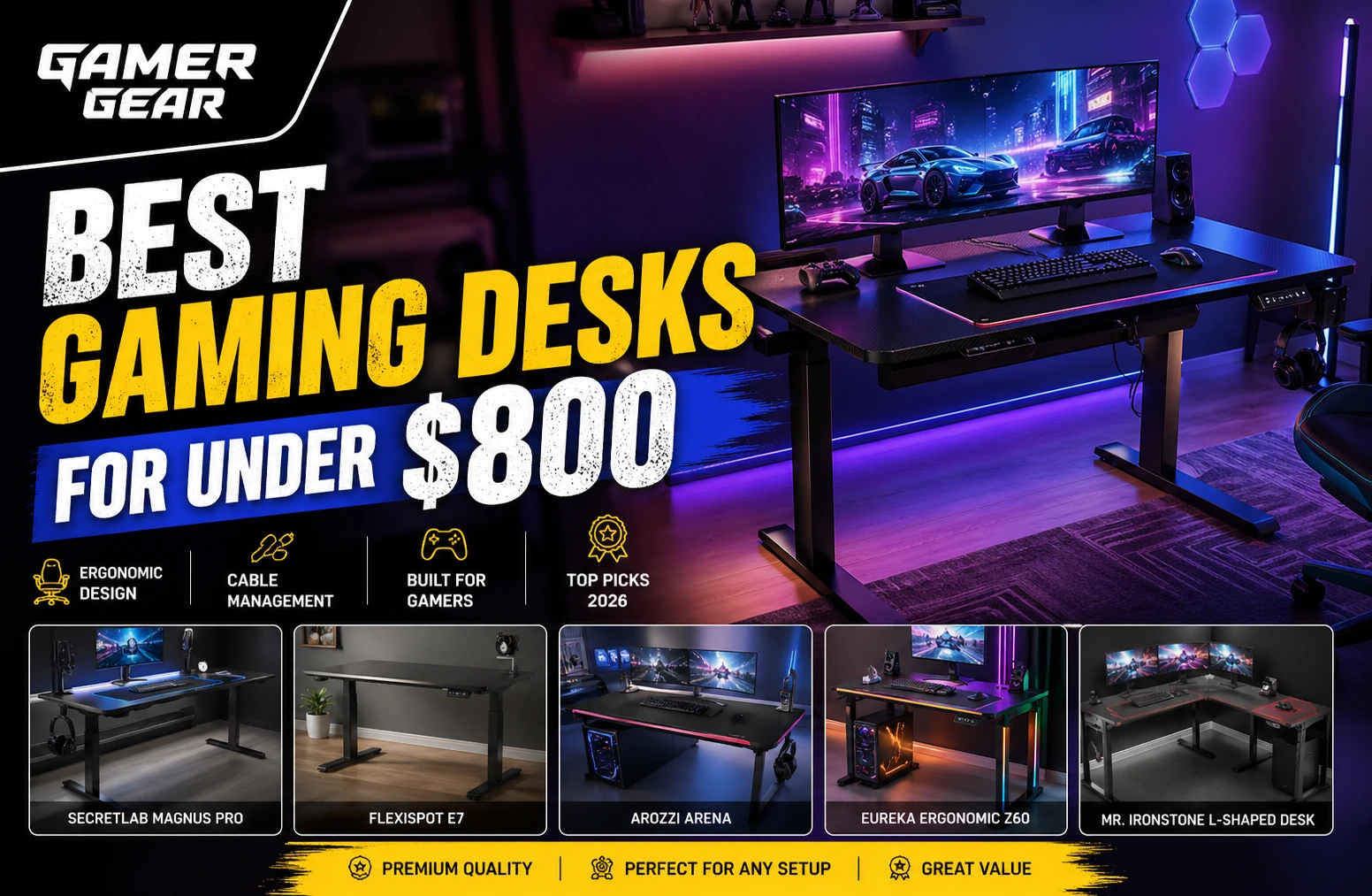
If you are building the ultimate gaming setup, choosing the best gaming desk for under $800 is just as important as selecting the right gaming PC, monitor, or gaming chair. A high-quality gaming desk improves comfort, boosts productivity, enhances cable management, and gives your setup a professional esports-style appearance.
Modern gamers in the USA are now looking for more than just a standard computer table. Features like adjustable height, cable trays, RGB lighting, monitor mounts, durable tabletops, and ergonomic designs have become essential for competitive gaming and long streaming sessions.
The good news is that you do not need to spend thousands of dollars to get a premium desk. There are many excellent gaming desks under $800 that offer premium build quality, ergonomic support, and advanced gaming features.
In this detailed guide, we reviewed the top gaming desks under $800 available right now for American gamers. Whether you need a standing gaming desk, L-shaped gaming desk, minimalist setup, or a desk for dual monitors, this guide covers everything you need.
This guide covers the Secretlab Magnus Pro, the FlexiSpot E7 and the Arozzi Arena alongside several cheaper options. What separates them is measurable rather than a matter of taste — frame material, height range, load capacity, and whether cable management is engineered into the desk or bolted on afterwards. Every specification below comes from the manufacturer’s own published figures, so you can check it before you buy.
| Gaming Desk | Best For | Type | Key Features | Approx Price |
|---|---|---|---|---|
| Secretlab Magnus Pro | Best Overall | Standing Desk | Premium cable management, magnetic accessories, sit-stand design | $799 |
| FlexiSpot E7 | Best Ergonomic Desk | Standing Desk | Dual motors, stability, large desktop | $550–$700 |
| Arozzi Arena | Best Large Surface Desk | Fixed Desk | Full desk mousepad, ultra-wide surface | $400 |
| Eureka Ergonomic Z60 | Best RGB Gaming Desk | Fixed Desk | RGB lighting, carbon fiber texture | $350 |
| Mr. Ironstone L-Shaped Desk | Best Budget L-Shaped Desk | Corner Desk | Large workspace, durable frame | $200 |
| Corsair Platform:4 | Best Compact Premium Desk | Compact Desk | Minimalist design, modular system | $699 |
| Homall Gaming Desk | Best Budget Option | Basic Gaming Desk | Cup holder, headset hook, compact design | $150 |
Best Overall Gaming Desk Under $800
Secretlab Magnus Pro
Modern Electric Adjustable Memory Sit-Stand Desk Modern Gaming Table for Office Use
The Secretlab Magnus Pro is currently one of the most recommended gaming desks for serious gamers and streamers. Secretlab publishes the numbers that matter: a dual-motor frame with a height range of 65–125 cm (25.6–49.2 in) and a maximum distributed load of 120 kg (265 lb), under a magnetic steel desktop. One caveat this guide has to be straight about — the Magnus Pro starts at $799, which puts it at the very top of an under-$800 budget rather than comfortably inside it, and the larger Magnus Pro XL is over it.
This desk is ideal for gamers who want a clean and professional-looking setup. The integrated power column and hidden cable tray help eliminate messy wires completely. The magnetic desk ecosystem also allows users to attach accessories easily.
Why It Stands Out
- Premium steel construction
- Motorized sit-stand functionality
- Hidden cable tray system
- Excellent stability for multi-monitor setups
- Magnetic accessories ecosystem
- Sleek modern design
Best For
- Competitive gamers
- Streamers
- Dual or triple monitor setups
- Long gaming sessions
- Ergonomic standing gaming setups
Pros
- Extremely durable
- Outstanding cable management
- Smooth height adjustment
- Premium aesthetic
- Large surface area
Cons
- Expensive near the $800 limit
- Heavy assembly
- Accessories cost extra
If you want the best gaming desk under $800, this is easily one of the strongest options available in the USA market today.
Best Standing Gaming Desk Under $800
FlexiSpot E7
Gaming and productivity users increasingly prefer standing desks because they help improve posture and reduce fatigue during long sessions. The FlexiSpot E7 has become one of the best value standing gaming desks thanks to its sturdy frame and smooth motorized adjustment system.
Key Features
- Dual motor lifting system
- High weight capacity
- Anti-collision technology
- Stable steel frame
- Multiple desktop sizes available
Why Gamers Love It
The desk remains stable even with heavy gaming setups including ultra-wide monitors, gaming PCs, and monitor arms. It is also quieter than many cheaper standing desks.
Pros
- Excellent ergonomic support
- Smooth height adjustments
- Strong frame stability
- Great value for money
- Ideal for home office gaming setups
Cons
- Accessories sold separately
- Minimal gaming aesthetics
For gamers who work remotely and game at night, the FlexiSpot E7 is one of the best hybrid desk solutions under $800.
Best Large Gaming Desk
Arozzi Arena
The Arozzi Arena is famous for its enormous desktop surface. If you use multiple monitors or need space for streaming equipment, keyboards, microphones, and gaming accessories, this desk is an excellent option.
Key Features
- Massive 63-inch wide surface
- Full-surface microfiber mousepad
- Cable management cutouts
- Water-resistant desktop mat
- Heavy-duty steel frame
Why It Is Popular
Many esports gamers love this desk because it gives plenty of space for wide mouse movements during competitive gaming.
Pros
- Huge gaming surface
- Premium mousepad included
- Great for multi-monitor setups
- Strong and stable
Cons
- Fixed height
- Large footprint requires space
If desk space matters most, the Arozzi Arena is one of the best gaming desks under $800 for large setups.
Best RGB Gaming Desk
Eureka Ergonomic Z60
RGB lighting has become a huge part of modern gaming setups. The Eureka Ergonomic Z60 offers gamer-focused aesthetics combined with solid functionality.
Features
- RGB lighting system
- Carbon fiber texture desktop
- Cable management grommets
- Monitor shelf
- Adjustable foot pads
Best For
- RGB gaming rooms
- Streamers
- Stylish gaming setups
- Younger gamers
Pros
- Excellent gaming aesthetics
- Strong steel frame
- Affordable price
- Built-in gaming accessories
Cons
- Smaller surface than premium desks
- RGB may not appeal to everyone
For gamers who want style without overspending, this is a great gaming desk choice.
Best L-Shaped Gaming Desk Under $800
Mr. Ironstone L-Shaped Gaming Desk
Affordable L-shaped gaming desk with a spacious corner layout ideal for dual-monitor and streaming setups.
L-shaped desks are perfect for gamers who want separate areas for gaming, streaming, work, or content creation. The Mr. Ironstone L-Shaped Gaming Desk offers incredible value for its price.
Features
- Corner-friendly design
- Large dual-surface workspace
- Strong metal frame
- Adjustable leg pads
- Easy assembly
Why It Is Great
It maximizes room space efficiently while offering enough room for multiple monitors and gaming accessories.
Pros
- Excellent value
- Spacious layout
- Good durability
- Perfect for small gaming rooms
Cons
- No height adjustment
- Basic cable management
This desk is one of the best affordable gaming desks under $800 for multitasking gamers.
Best Compact Premium Gaming Desk
Corsair Platform:4
The Corsair Platform:4 is designed for gamers who want a compact but premium-quality desk. It delivers excellent ergonomics and a clean aesthetic.
Features
- Compact footprint
- Modular accessory system
- Minimalist design
- Strong frame
- Excellent cable organization
Best For
- Small gaming rooms
- Apartment setups
- Minimalist gamers
Pros
- Compact yet premium
- Strong construction
- Modern design
- Excellent ergonomics
Cons
- Expensive for its size
- Limited workspace for large setups
Best Budget Gaming Desk
Homall Gaming Desk
The Homall Gaming Desk proves you do not need a huge budget to create a functional gaming setup.
Features
- Carbon fiber style surface
- Headphone hook
- Cup holder
- Sturdy steel legs
- Compact design
Pros
- Very affordable
- Easy to assemble
- Good for beginners
- Space efficient
Cons
- Smaller surface area
- Basic features
This is one of the best starter gaming desks for casual gamers.
| Features | Modern Electric Adjustable Memory Sit-Stand Desk Modern Gaming Table for Office Use | Mr. Ironstone L Shaped Gaming Desk Corner Computer Desk | Furmax Electric Height Adjustable Standing Desk | TEKAVO Gaming Table |
|---|---|---|---|---|
| Desk Type | Standing Gaming Desk | L-Shaped Gaming Desk | Standing Desk | Gaming Setup Desk |
| Adjustable Height | Yes | No | Yes | No |
| Best For | Premium setups | Corner gaming setups | Ergonomic gaming | Multi-monitor setups |
| Cable Management | Excellent | Basic | Good | Good |
| Build Quality | Premium | Very Good | Good | Very Good |
| Ideal Setup | Triple monitor | Dual monitor | Work + gaming | Streaming setup |
| Price Range | High | Budget-friendly | Mid-range | Mid-range |
How to Choose the Best Gaming Desk Under $800
Choosing the right gaming desk depends on your gaming habits, room size, and setup requirements.
1. Desk Size
Always measure your room before buying. Many gamers underestimate the amount of space required for monitors, speakers, and accessories.
Recommended Sizes
- Small setup: 40–48 inches
- Dual monitor setup: 55–63 inches
- Triple monitor setup: 70+ inches
2. Ergonomics
Ergonomics matter for long gaming sessions. Adjustable standing desks help reduce back pain and improve posture.
Features to look for:
- Adjustable height
- Wrist-friendly edges
- Proper legroom
- Monitor mounting support
Standing desks are increasingly recommended for gamers and remote workers because they encourage healthier posture during extended sessions.
3. Cable Management
Cable clutter can ruin even the most expensive gaming setup.
Look for desks with:
- Built-in cable trays
- Cable routing holes
- Hidden cable channels
- Power strip holders
Premium desks like Secretlab Magnus are especially praised for cable management innovation.
4. Material Quality
Gaming desks are usually made from:
- MDF wood
- Steel frames
- Carbon fiber textured surfaces
- Solid wood tops
Steel frames generally provide better durability and stability.
5. Weight Capacity
If you use:
- Ultra-wide monitors
- Heavy gaming PCs
- Multiple monitor arms
Then choose a desk with higher weight support.
Why a Good Gaming Desk Matters
Many gamers spend thousands on GPUs and monitors but ignore desk quality. However, your desk directly impacts:
- Gaming posture
- Comfort
- Setup organization
- Cable management
- Streaming appearance
- Productivity
A premium gaming desk can completely transform your gaming room.
Best Gaming Desk Setup Tips
- Use Monitor Arms : Monitor arms free up desk space and improve ergonomics.
- Add RGB Lighting : RGB strips behind the desk create immersive lighting.
- Invest in Cable Management : Use velcro straps and under-desk trays for cleaner setups.
- Use an XXL Mousepad : Large desk mats improve comfort and aesthetics.
Are Standing Gaming Desks Worth It?
Yes. Standing desks have become extremely popular among gamers and professionals because they help reduce fatigue and encourage movement.
Benefits include:
- Better posture
- Reduced back pain
- Improved circulation
- More flexibility
- Better productivity
Modern standing gaming desks also support memory presets for quick adjustments.
Final Verdict
If you want the absolute best gaming desk under $800, the Secretlab Magnus Pro remains the top recommendation because of its unmatched cable management, premium construction, and ergonomic features.
However, different gamers have different needs:
- Choose FlexiSpot E7 for ergonomics
- Choose Arozzi Arena for massive desk space
- Choose Mr. Ironstone L-Shaped Desk for affordability
- Choose Corsair Platform:4 for minimalist setups
- Choose Eureka Ergonomic Z60 for RGB aesthetics
No matter your gaming style, there is an excellent gaming desk available under the $800 budget.
Frequently Asked Questions (FAQs)
What is the best gaming desk under $800?
The Secretlab Magnus Pro is the strongest all-round pick if your budget genuinely reaches $800 — it starts at $799 and gives you a dual-motor sit-stand frame, a magnetic steel desktop and an integrated power column. If you need change left over, the FlexiSpot E7 covers the same sit-stand ground for less.
Are gaming desks worth buying?
Yes. Gaming desks improve ergonomics, organization, cable management, and overall gaming comfort.
What size gaming desk is best for dual monitors?
A desk between 55 and 63 inches is ideal for dual-monitor gaming setups.
Are standing gaming desks good for gaming?
Yes. Standing desks help improve posture and reduce fatigue during long gaming sessions.
What is the best L-shaped gaming desk under $800?
The Mr. Ironstone L-Shaped Gaming Desk is one of the best affordable L-shaped gaming desks available.
Do gaming desks come with cable management?
Many premium gaming desks include cable trays, routing holes, and hidden cable systems.
What material is best for a gaming desk?
Steel frame desks with durable desktop surfaces are generally the best choice for long-term durability.
Can a gaming desk hold multiple monitors?
Yes. Most modern gaming desks support dual or triple monitor setups.
Is RGB lighting necessary on a gaming desk?
No, but RGB lighting enhances aesthetics and gaming room ambiance.
What is the ideal height for a gaming desk?
Most gaming desks range between 28 and 30 inches high. Adjustable desks offer more ergonomic flexibility.
Are gaming desks easy to assemble?
Most gaming desks require basic assembly and usually take between 1–3 hours.
Which gaming desk is best for small rooms?
Compact desks like the Corsair Platform:4 are ideal for smaller gaming spaces.
