


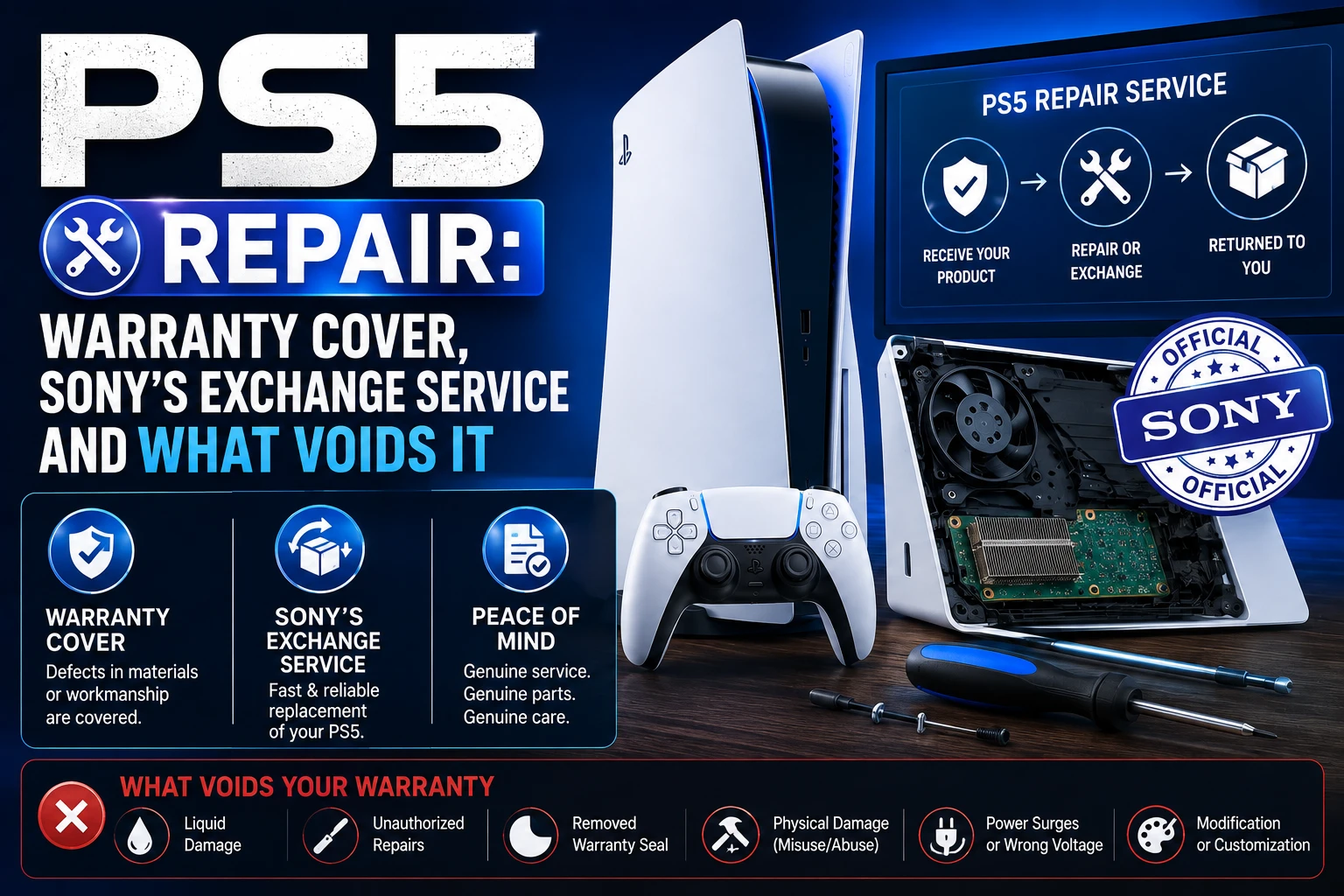
Every official PS5 repair starts in the same place: playstation.com/repairs, where Sony issues a return authorization and shipping instructions. Inside the one-year warranty period, repair or replacement is free and Sony pays shipping both ways. Outside it, Sony runs a paid exchange service that sends you a repaired or refurbished console in place of yours.
What you should not do first is open the console. Sony’s warranty explicitly excludes damage caused by service performed by anyone who is not an SIE representative or authorized service provider — and by “opening the Product or any action taken within it” by anyone else. That clause turns a free repair into a paid one, so it is worth knowing before you reach for a screwdriver.
What the PS5 warranty actually covers
Sony Interactive Entertainment warrants the PS5 hardware, including components in the retail box, to be free from material defects in material and workmanship for one year from the original date of purchase. The warranty is valid only in the United States and Canada.
If the console is found materially defective in that period, your remedy is:
- Repair or replacement with a factory-recertified product, at Sony’s option, at no charge — “factory recertified” meaning a product returned to its original specifications.
- Shipping both ways paid — Sony provides a shipping box with a prepaid label, and returns the repaired or replacement console at no charge.
Read that second point carefully. Sony’s wording covers return shipping of the console — “not any peripheral, controller, accessory or cable.” Send only the console unless instructed otherwise; a DualSense in the box is a controller you may not get back.
You also need paperwork. Sony’s service policy requires a valid proof of purchase in the form of a bill of sale or receipt from a retailer with the date of the original purchase to obtain warranty service. Registering the console makes no difference — Sony states the warranty is the same whether or not you register.
What voids it
The exclusions are specific, and several catch out ordinary owners:
- Damage from using the console with incompatible products, or with peripherals Sony does not license or sell — including non-licensed game enhancement devices, controllers, adaptors and power supply devices.
- Commercial use, including rental or arcade purposes.
- Modification to alter capability or functionality without Sony’s written permission.
- Damage from acts of God, misuse, abuse, negligence, accident or unreasonable use.
- A serial number that has been altered, defaced or removed.
- Damage from service performed by anyone who is not a Sony representative or authorized service provider, or from the console being opened by anyone else.
The third-party power supply exclusion is the one that quietly ends warranties. A cheap replacement cable that damages the console is not a defect in material or workmanship.
Out of warranty: the exchange service
Past one year, Sony offers a paid out-of-warranty service. It is an exchange, not a bench repair of your specific unit: you pay a fee and receive a repaired or refurbished PS5 in place of the damaged one. Consoles are processed by qualified technicians at authorized PlayStation Service Centers, and the fee covers shipping in both directions.
Sony quotes the fee through the PlayStation Repairs tool rather than publishing a public price list, and it varies by region and model. Get the quote before deciding — it is the number that determines whether repair or replacement makes sense, and any figure you read on a forum is someone else’s region and someone else’s fault.
The important consequence of the exchange model: you are unlikely to get your own console back. Anything stored on it — save data not synced to the cloud, screenshots, captures — should be treated as gone. Sony says so directly, warning that service may cause a loss of data or content, remove cosmetic stickers or console skins, and that you should back up your console storage regularly.
Before you send anything
Sony’s own service terms effectively give you a checklist:
- Back up your storage. Some content cannot be backed up and must be reinstalled by you.
- Sync save data to the cloud if you have PlayStation Plus, and copy the rest to a USB drive.
- Remove peripherals and non-PS5 components, including any expansion SSD you installed.
- Remove anything proprietary, private or confidential.
- Find your receipt if you are claiming under warranty.
Sony states it is not liable for damages resulting from failure to follow these instructions. Skipping the backup is your risk, not theirs.
Fix it yourself first — the free checks
A meaningful share of “broken” consoles are not broken. Run these before starting a repair claim:
Console will not turn on
Unplug the power cable from the wall, wait 30 seconds, and plug it back in directly to the outlet rather than through a surge strip or extension. Then try Safe Mode: hold the power button until you hear a second beep, then release. Safe Mode offers options including rebuilding the database, which resolves a category of boot failures without touching hardware.
Overheating and shutdowns
The PS5 pulls air through side and rear vents. Give it several inches of clearance on every side, keep it off carpet, and check the vents for dust. A console in a closed cabinet will overheat no matter how healthy it is. Persistent shutdowns with clear airflow are a genuine service case.
No picture over HDMI
Test a different HDMI cable and a different port on the TV before assuming the console’s port has failed. If another device works on that cable and port and the PS5 does not, the port is the likely fault — and the HDMI port is a physical repair, not something a settings change reaches.
Disc drive noise or rejection
Check for a second disc already inside, and confirm the console is horizontal or vertically stable on its stand. Grinding noises with no disc inserted are mechanical and need service.
Network problems
Network faults are almost never hardware. Test the connection from Settings > Network > Connection Status > Test Internet Connection first — our guide to what counts as a good connection speed for PS5 covers how to read the result and what Sony actually recommends.
Third-party repair shops
Independent shops are often cheaper and faster than Sony’s exchange, and for a genuinely out-of-warranty console with a specific mechanical fault — an HDMI port, a fan, a disc drive — they can be the sensible choice. Two things to weigh honestly:
- It ends any remaining warranty coverage. Sony’s exclusion for service by non-authorized providers is unambiguous. Never use a third party while still inside the one-year period.
- Quality varies enormously. Ask what warranty the shop gives on its own work, and whether it does board-level repair or only part swaps.
The advantage third-party shops have is that you usually get your console back, with your storage intact. That matters if local save data cannot be recovered.
After the repair
One detail worth knowing: after Sony services the product and returns it, or returns a factory-recertified product, the warranty applies to the returned product for the longer of 90 days from the date Sony ships it, or the original warranty period. A console repaired at month eleven therefore carries protection past the original year.
Frequently Asked Questions
How long is the PS5 warranty?
One year from the original date of purchase, covering material defects in material and workmanship. Sony’s PS5 limited hardware warranty is valid only in the United States and Canada, and warranty service requires a bill of sale or retailer receipt showing the original purchase date.
How much does it cost to repair a PS5?
Nothing, if the console is inside the one-year warranty period and the fault is a covered defect — Sony pays for the repair or replacement and for shipping both ways. Out of warranty, Sony charges a fee for its exchange service, quoted through the PlayStation Repairs tool rather than published as a fixed price, since it varies by region and model.
Does opening my PS5 void the warranty?
Yes. Sony’s warranty does not apply to damage caused by service performed by anyone who is not a Sony representative or authorized service provider, or by opening the product or any action taken within it by anyone else. Removing dust through the external vents is fine; disassembly is not.
Will I get my own PS5 back after a repair?
Often not. Sony’s out-of-warranty service is an exchange that provides a repaired or refurbished console in place of yours, and even under warranty Sony may replace rather than repair, at its option. Back up your storage and sync saves to the cloud before sending it — Sony warns that service may cause loss of data or content.
Can I use a third-party repair shop for my PS5?
You can, but not without consequence inside the warranty period — any service by a non-authorized provider voids Sony’s coverage for resulting damage. For an out-of-warranty console with a specific mechanical fault, an independent shop may be cheaper and has one real advantage: you generally get your original console, and its stored data, back.
The bottom line
Check the purchase date first. Inside a year, go straight to playstation.com/repairs with your receipt and let Sony pay for it — and do not open the console, because that is the one action that reliably costs you the coverage. Outside a year, get the exchange quote before committing, back everything up on the assumption you will not see that console again, and price an independent repair against it if the fault is mechanical and specific.
More PlayStation coverage on Tech2Post: what counts as a good connection speed for PS5, connecting a PS5 controller to a PC, and PS5 Black Friday deals.
Related reading: what latency actually means, Resident Evil Requiem, NVIDIA GeForce Now as a stopgap while a console is away, optimizing a gaming PC, the best gaming desks under $800, and the Nintendo Switch Animal Crossing game.
Sources: PlayStation — PS5 Limited Hardware Warranty and Liability (US) and PlayStation — PS5 Support. The warranty period, remedy, exclusions, proof-of-purchase requirement, post-service 90-day term and backup warnings are quoted from Sony’s published warranty text. No repair prices are stated here because Sony does not publish a public US price list — get the quote from the PlayStation Repairs tool.
